Adding Users
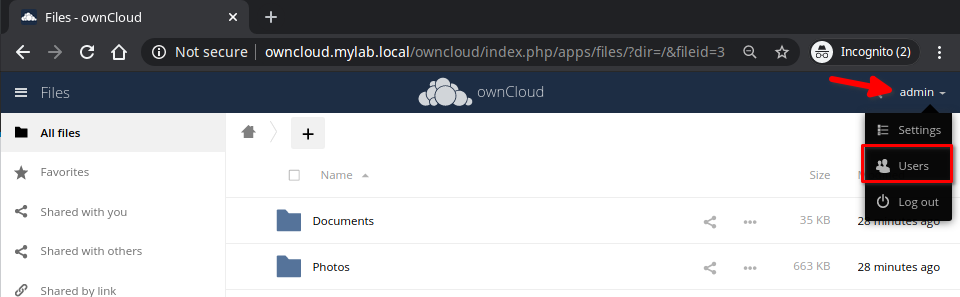
- Login to the web interface with your Admin credentials;
- On the top right corner, select admin and chose Users
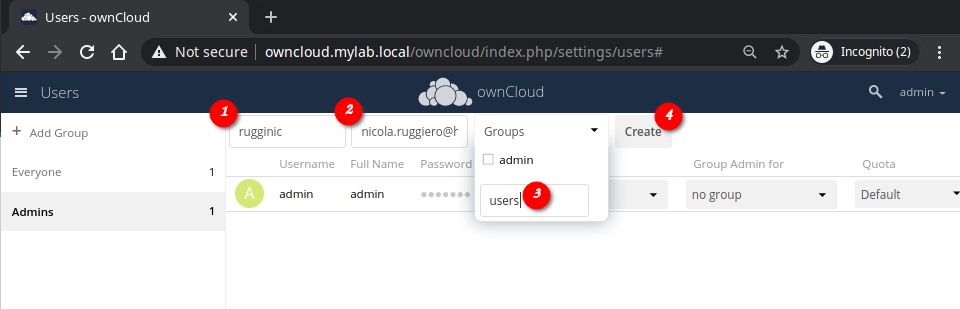
- Add the user’s details
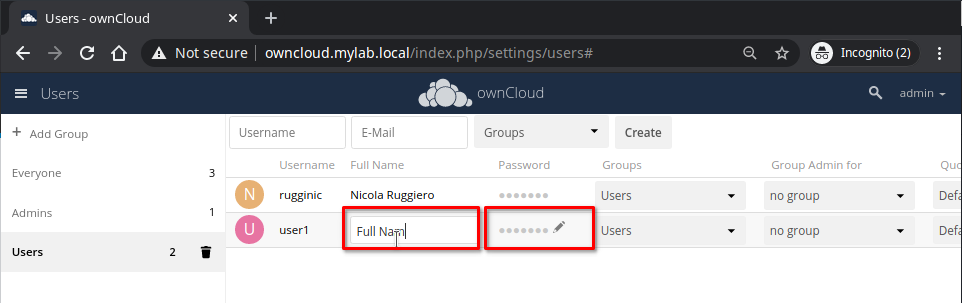
- Once created, from this pane you can set a temporary password for the user and change its full name or leave it for him/her to complete.
Next steps
To learn how to connect to the ownCloud Server using a desktop or mobile client, see Desktop and mobile client